New features for July. 2025:
The ALE DeskPhones Enterprise range now compatible with Rainbow Hub:
The ALE DeskPhones Enterprise range is now fully compatible with Rainbow Hub, finally giving you access to the deskphones you’ve been waiting for.
Whether you're replacing your deskphones or completing your setup, the full line is now available, with zero-touch provisioning built in: just plug it in and you're ready.
It's a clear move toward the cloud, making Rainbow Hub an evolutive alternative to traditional setups.

A better user experience for Rainbow Webinar:
We now have more flexibility between the stage and backstage areas of webinars for speakers and hosts. We can now have a conversation behind the scenes without disturbing the person on stage! This gives us more flexibility in how we use the stage and backstage areas and makes things more comfortable.

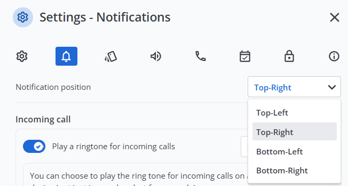
Choose Where Your Call Notifications Appear:
You can now choose where incoming call pop-ups appear on your desktop. With the new ‘Notification location’ setting, you can select the position that works best for you: top left, top right, bottom left, or bottom right. This gives you more control over your workspace, helping you stay focused while never missing a call.
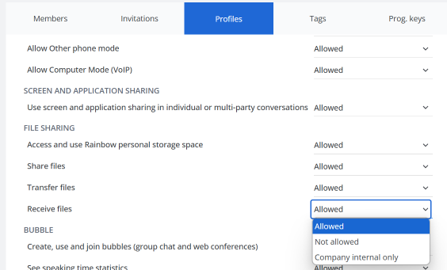
Manage your received data:
This feature improves file transfer security for organisations and allows administrators to authorise file exchanges, prohibit them entirely, or authorise them only internally, within the company.
Call forward redesign for smarter and enhanced communication:
Boost your productivity and communication with speed dial keys as forward destinations and easily access your two most recent forward numbers. Recent numbers are automatically saved when a call is forwarded, making it faster and easier to redirect calls whenever needed.
Keep the conversation going, switch devices without Interruption:
You can now seamlessly keep an active phone call when moving from PC/Mac to mobile and vice-versa, with no interruption. Tap on "Pick it up" to keep your conversation going effortlessly.
Waiting Room Just Got Smarter:
For IOS users waiting for a webinar just got more engaging. You now have full YouTube video controls in the waiting room, giving you the ability to pause, play, or skip ahead as needed. If you leave and return, your video will resume where you left off, so no need to start over. Plus, with playlist support, you can see all available videos and choose which one to watch. This enhanced experience makes waiting more interactive, personalized, and convenient.
Vote in Webinar Polls, Right from Your Phone:
You can now vote in Rainbow Webinar polls directly from your mobile device quickly and easily. Even after submitting your response, you’ll still have access to the poll results and content, so you stay fully in the loop. Whether you're on the go or multitasking, this update makes it easier than ever to engage with live webinars and contribute in real time.
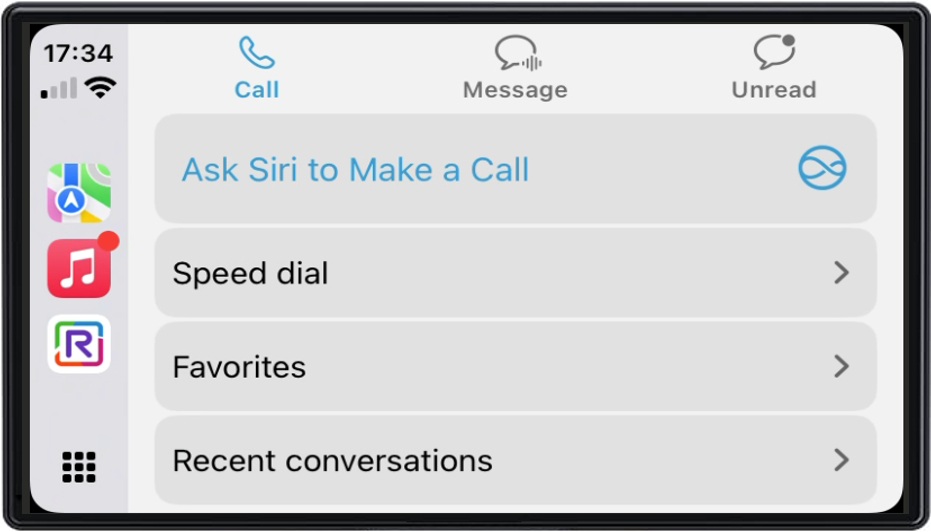
A Smarter Call Experience with CarPlay:
We’ve improved the CarPlay call experience to make it smoother, smarter, and more convenient while you're on the road. The refreshed interface is easier to navigate and now lets you view missed calls directly from CarPlay, so you never lose track. You can also use Siri to place calls, keeping your hands on the wheel. And if you're already in a call, you can now add another person by simply tapping the “Add Call” button in the Apple call interface. These enhancements are designed to help you stay connected safely and efficiently while driving.
Free Up Space Faster with Monthly File Selection:
Managing your storage just got easier. With the new bulk deletion by month feature in the "Free up space" section, you can now quickly select and remove multiple files from the same month in just a few taps. This update is designed to save you time and effort, making it much more convenient to stay organized and keep your storage clean. No more scrolling through endless files, just pick a month and free up space instantly. It's a smarter, faster way to manage your files.
New on iOS: Choose if Rainbow calls appear in your call history:
You can now decide whether calls made or received via Rainbow, individual calls, conferences, or phone calls, show up in your iPhone’s native call history. This new setting gives you more control over your call visibility and privacy.
Present Easily, Right from Your Phone:
Now you can share your screen from your Android phone, in a one-to-one call or conference. Choose to show your whole screen or just one application, depending on what you want to share. You can adjust the quality of the sharing to give priority to clarity or performance. Your status automatically adjusts to indicate that you are presenting. Your screen stays clear and uncluttered! Activate or deactivate sharing with a simple gesture via the new call menu. It's a simple, practical way to collaborate more effectively, even when you're on the move.

A Smoother, Smarter iOS Experience on Rainbow:
We’ve improved the iOS experience in Rainbow with several UI updates. Notifications now appear even when the app is open, so you never miss important info. The file filter is clearer thanks to a new submenu. In calls, the More menu is now more consistent and dynamic. The Tasks view has also been redesigned to better follow iOS standards, making everything more intuitive and easier to use.
Investigate audio quality issues with powerful new tools:
Easily get to the root of audio problems with our enhanced investigation features. The new User Tag Search lets you instantly locate and analyze audio performance across groups of users—such as everyone at a specific company location—by simply selecting a tag in the search bar. It’s a fast and effective way to identify broader issues impacting teams or environments.
For even more flexibility, Multi-Select Filters let you refine your analysis with additional criteria, like device type or network, helping you pinpoint issues with greater precision.
Whether you're targeting a specific group or exploring audio quality across various conditions, these tools give you the control and clarity you need to take action with confidence.

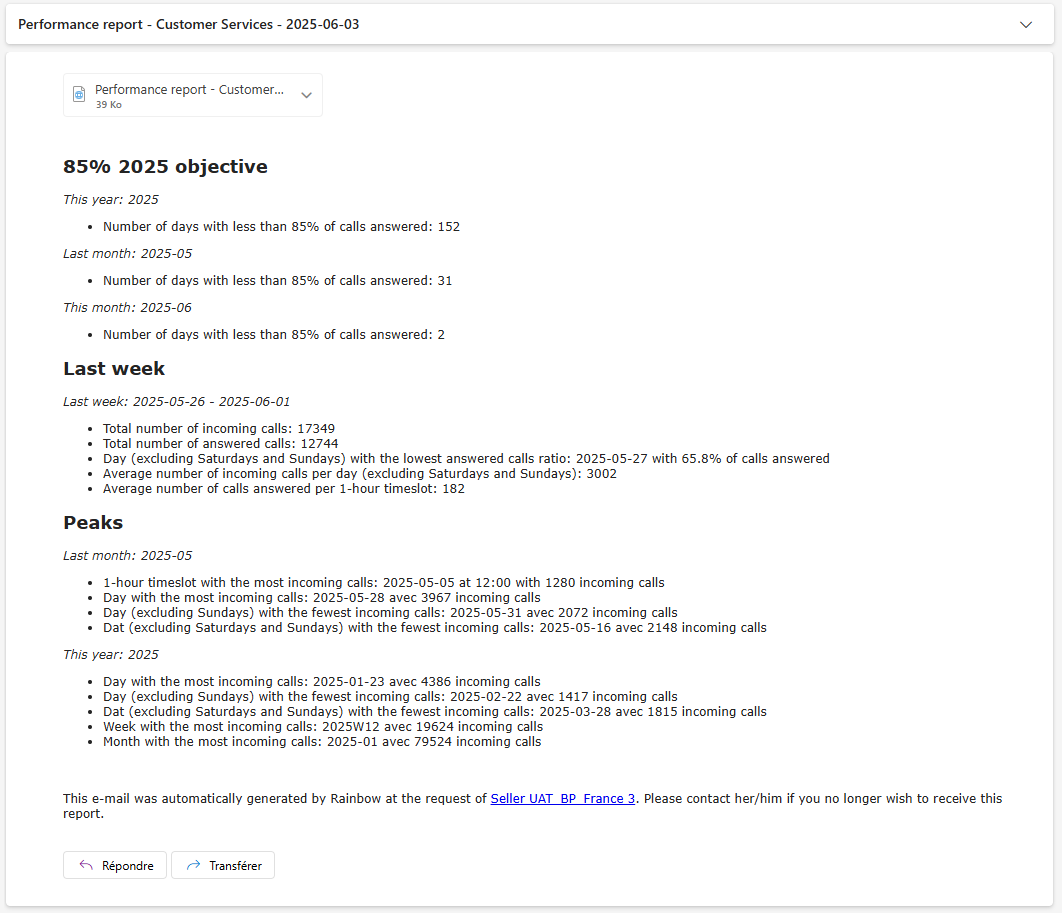
Hub Group Reports:
Get the insights you need directly in your mailbox - clear, actionable, and tailored to your goals. The new Hub Group Reports deliver straightforward information along with interactive charts for deeper analysis. With over 20 dynamic charts and 40 key performance indicators, the reports go beyond the admin interface - offering greater flexibility, more powerful features, and richer customization.
Up to 5 active calls on phones and softphones:
Enjoy greater flexibility in your communications with the enriched multiline feature. Manage up to 5 calls at the same time and stay connected seamlessly. In the admin panel, select the multiline+ profile to benefit from smoother, uninterrupted communications. Now available on your deskphone.
Support of the Myriad S phone range:
With enhanced speed & performance, the new Myriad S range is designed to boost your everyday communications. While the user experience remains familiar, interactions are now faster, smoother, and easier to navigate.
We’ve also expanded our range to better fit your needs. The Myriad 7 is now replaced by two new devices: the Myriad7S, focusing on essential features, and the Myriad7S Pro, including advanced connectivity options like Wi-Fi and Bluetooth for greater versatility.
Share audio with screen sharing:
Currently, audio content can only be shared during a screen presentation in the bubble. We are expanding this feature to individual conversations for greater convenience during your calls and sharing sessions.
More information about the pinned content:
Displaying the author of each pinned message adds valuable context, helping users understand the importance and origin of pinned content. This improvement enhances transparency and accountability within the conversation.
Get notified when you are mentioned:
Starting today, when a user is mentioned in a conversation, a notification will automatically appear in their notification list.
This new feature ensures you never miss important messages again. You'll be more responsive, clearer and more efficient in your communications. It's a simple but powerful step forward in staying connected to the topics that matter most to you.
Save time with mass provisioning:
Administrators can now take advantage of mass provisioning on non-ALE post. You can create 100 workstations at once and automatically associate them with users without having to do it one by one. This bulk mechanism saves you time and optimises your efficiency.
More reliable and traceable communication within the platform:
By displaying the original sender's name and timestamp, we have improved the transparency of forwarded messages to better understand the origin of received messages, thereby enhancing the reliability and traceability of exchanges. Specifically, when a message is forwarded, a note saying ‘Forwarded by [original sender's name]’ appears above the content. The user making the transfer can choose to hide this information by unchecking a box. This change enhances the clarity of exchanges while giving users control over confidentiality.
The polling option at your fingertips:
Find your survey option more easily, directly in the tooltip menu! Creating your surveys is now more accessible and convenient!
A better user experience for iOS users:
In order to improve Rainbow's accessibility on iOS, we have redesigned the general menu on the left as well as the display and management of posts in channels. The menu display has been improved, making the experience more fluid. For Channels, a visual indicator now replaces the old banner in the top bar, and the + action in the top bar contains a menu that also allows you to enable or disable notifications. As an editor, this will allow you to edit/delete the post.